





Your Own WhatsApp Chatbot in Microsoft Teams

Real-time inquiries in the right channel — data in your own tenant

WebChat / Your Own AI Chatbots in Microsoft Teams—Without Vendor Lock-in / Your Own WhatsApp Chatbot in Microsoft Teams
WhatsApp + Microsoft Teams

Your own chatbot for WhatsApp. With WebChat, from inside your secured Microsoft environment.

Your customers message you on WhatsApp — not by email, not via contact forms. Today those messages never reach your tenant: no direct way to step in, and to answer well you would have to hand your knowledge to an outside provider. With WebChat every request lands in real time in the right Microsoft Teams channel — traceable, assignable, answerable. And your data stays inside your Microsoft world.

WhatsApp Business Website widget Microsoft Teams Your own AI
The starting point

A request at 6:12 a.m. — where does it land?

A customer has a question and reaches for the phone. The same channel — two completely different paths:

Today · no structure
WhatsApp
Your support online
Is the X-200 model still available — and where do I find the datasheet?
06:12
Type a message …
Lands on a personal phone — nobody clearly in charge.
  • Not systematically monitored
  • No routing to the right department
  • No history, no tracking
With WebChat
Microsoft Teams Microsoft Teams Support › Posts
S
Support Chat · Customer service
NameMax Berger
ChannelWhatsApp Business
WebChat
WebChat· Chatbot-Steuerung
Chatbot is active — replies automatically
WebChat
WebChat· Visitor via WhatsApp
Is the X-200 model still available — and where do I find the datasheet?
AI agent· automatic reply
@WebChat Yes, the X-200 model is currently available (delivery approx. 3–5 working days). The datasheet with all technical specs is in the connected product catalogue — I'll send it to you straight away as a PDF. Do you also need price or volume tiers?
Take over and reply with “@WebChat …”
  • In real time in the right Microsoft Teams channel
  • Automatically with the right department
  • Fully traceable & assignable
How a request flows

From WhatsApp inbox to answer — in one thread

  1. 1
    Inbound
    The customer writes via WhatsApp Business — or through the widget or Instagram.
  2. 2
    Routing in Microsoft Teams
    WebChat recognises the topic and routes the request into the connected Microsoft Teams channel. There a team member can reply directly — or only after the chatbot has handled it first.
  3. 3
    AI answer
    Your own AI answers standard questions instantly — with live access to your approved knowledge sources.
  4. 4Hot-Lead
    Hot lead detected
    When the system spots buying intent or a project, the request is flagged as a hot lead and highlighted in the sales channel.
  5. 5
    Handover
    The right person can take over from Microsoft Teams at any time — with the full history.
Architecture — how the request flows
WhatsApp
WhatsApp
Customer writes
WebChat
WebChat
App in Microsoft Teams
Microsoft Teams
Microsoft Teams
Right channel
Power Automate
Power Automate
Processes & data
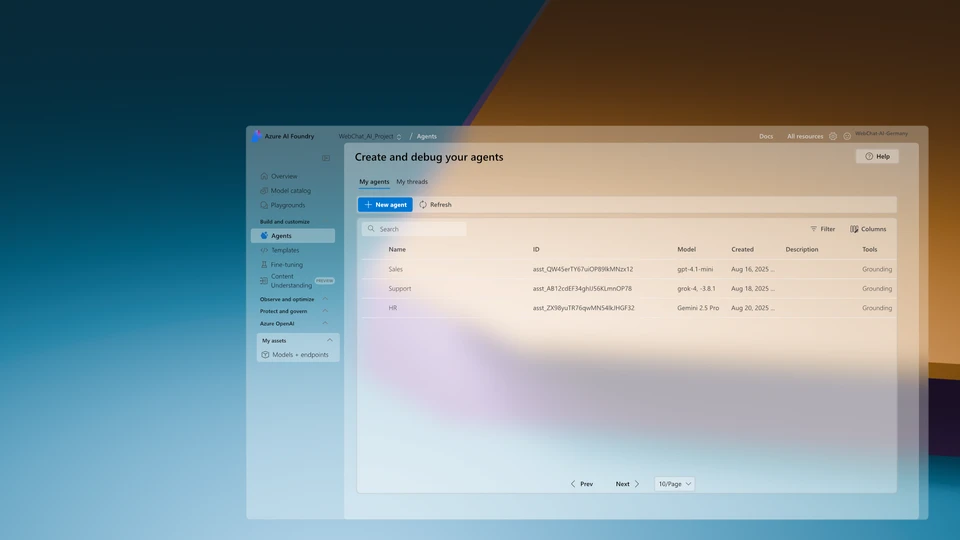
Microsoft Foundry
Microsoft Foundry
AI agent answers
Microsoft Foundry Support agent EN PlaygroundDetailsTracesMonitorEvaluation Version: 3 (2026-06-20)SavePublish
Model
gpt-4.1Global Standard
Voice modeAgent as a voice experience
Instructions
ROLE: You are the support agent of Example Ltd. Reply politely and professionally in English. Use only the approved sources (web search + connected knowledge sources).
ToolsConnect tools to your agent to reach important information faster.
Web search
Knowledge baseconnected
Documents & PDFsconnected
Product catalogueconnected
Product databaseconnected
CRM / ERP · Power Automateconnected
ChatYAMLRequest agent4,057 t · Metrics
Is the X-200 model still available — and where do I find the datasheet?
TEXTCopy
Yes, the X-200 model is currently available (delivery approx. 3–5 working days). The datasheet with all technical specs is in the connected product catalogue — I'll send it to you straight away as a PDF. Do you also need price or volume tiers?
gpt-4.13.8 s4 057 tmessage
Message the agent …
A dedicated, specialised agent per topic — across departments and entirely inside your Microsoft tenant.
Why WebChat fits

From WhatsApp inbox to a structured process

Microsoft Teams
Specialised agents per topic
Specialist questions can't be answered by just anyone. WebChat routes by topic: each topic gets its own specialised agents — across departments, instead of a general support desk that forwards internally.
Microsoft Foundry
Your own AI with access to product data
Your knowledge sources — product data, documents, databases: your own AI in your own tenant accesses them live and answers standard questions automatically — around the clock.
Microsoft Power Platform
All locations, one tenant
Each location has its own inbound channels — everything runs through the same Microsoft tenant. No new vendor, no new contracts, no data outside your own infrastructure.
What to set up

Ready in four steps

No new vendor, no data transfer to the outside — everything happens inside your Microsoft tenant.

  1. 1
    Start a POC channel
    Start with a free POC channel from the Microsoft Marketplace — in your own tenant, no contract.
  2. 2
    Connect Power Automate
    Power Automate connects the agent to your processes: chatbot activation cards in Microsoft Teams, hot-lead detection and automatic escalation to the right department.
  3. 3
    Optimise the Foundry agent
    Fine-tune the AI agent in Microsoft Foundry with your knowledge sources and instructions.
  4. 4
    Connect WhatsApp
    Existing Entra chatbot
    Connect WhatsApp Business to the channel. An existing chatbot in your own Entra for WhatsApp can be plugged in directly, instead of building something new.

your chat, your team, your decision

Start with a free POC: WhatsApp structured in Microsoft Teams, in your own tenant — no new vendor, no new contract.

WebChat + AI

The AI of your choice analyzes the customer's request live and prepares tailored, fact-based answers that your team only needs to approve or take over directly. You decide whether the AI moderates or takes over the conversation completely. Your team remains in control of the conversation, is noticeably relieved and can concentrate on complex cases.