Your Own AI Chatbots in Microsoft Teams—Without Vendor Lock-in
Model of your choice, in your own tenant; a person can take over at any time
Build your own AI chatbots in WebChat for Microsoft Teams
Build your own AI chatbot with the model of your choice — Copilot Studio, Microsoft Foundry, Azure OpenAI or your own model. It answers automatically in WebChat, runs in your Microsoft tenant, and a human takes over at any time. No vendor lock-in.
A third-party bot as a black box — or your own AI in your tenant
- ✕The chatbot runs as a black box at the provider — model and data are out of your hands.
- ✕Vendor lock-in: switching models means migration, new contracts and effort.
- ✕No clean handover to a human, no traceability of the answers.
- ✓You choose the model yourself — Copilot Studio, Foundry, Azure OpenAI or your own.
- ✓The bot runs in your Microsoft tenant — no lock-in, swappable at any time.
- ✓Human-in-the-Loop: a human takes over with one click, every answer in the audit log.
Your model answers — in WebChat for Microsoft Teams
 Microsoft FoundryYour AI agent
 Power AutomateControl & rules
 WebChatall channels
 Microsoft TeamsAnswer & handover
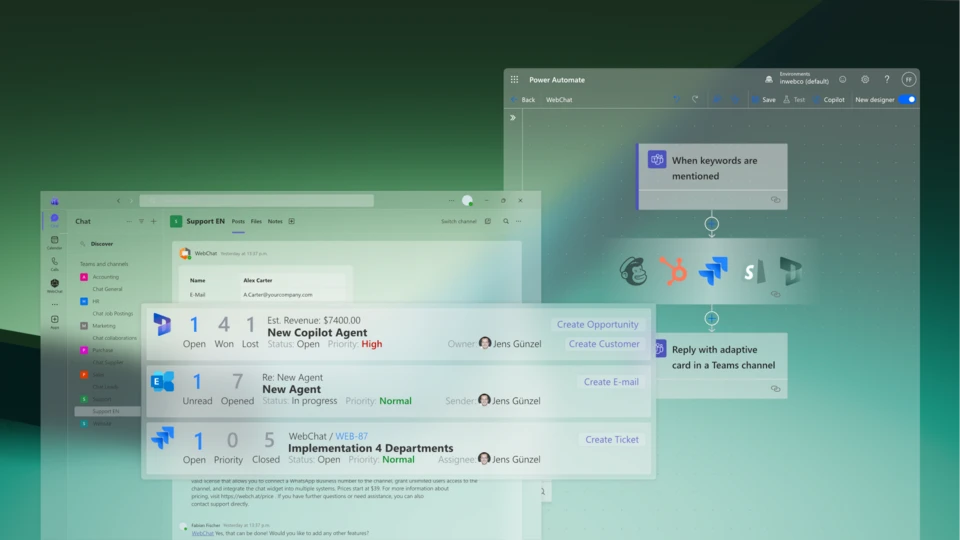
Your AI agent from Microsoft Foundry answers automatically in WebChat — a human takes over at any time with a click on the control card in Microsoft Teams.
More than answers — your AI with context
Your AI, your control
Choose a model. Connect. Answer.
- 1Get WebChat from the Microsoft MarketplaceInstall it into your departments' target channels.
- 2Create an AI agent in Microsoft Foundry, Copilot Studio or Azure OpenAI in your own tenant
- 3Connect to the WebChat channel via Power Automate — escalation & hot-lead rules in plain English
- 4The bot answers automatically — a human takes over with a click on the control card
FAQ & AI operations
Which AI models can I use?
Copilot Studio, Microsoft Foundry, Azure OpenAI or your own models. WebChat itself runs no AI — you choose freely and avoid vendor lock-in.
What does “no vendor lock-in” mean?
Model, prompts and data stay in your Microsoft tenant. You can switch the model at any time without changing the provider or the platform.
Can a human step in at any time?
Yes. Human-in-the-Loop: the bot can be disabled per conversation via a Teams card, an employee takes over, and reminders prevent dropped requests.
Who is liable for the AI answers?
The operator (OLG Hamm, 12 May 2026, not yet final). Your own AI in your tenant, Human-in-the-Loop and Microsoft audit logs give full control and traceability.
What does WebChat cost?
Pay per Channel: you pay per Microsoft Teams channel, not per user — unlimited agents per channel. Billed through Microsoft. Terms at webch.at/pricing.
your chat, your team, your decision
Free 7-day POC with 25 channels — no SaaS contract. From the Microsoft Marketplace.