






Secure customer communication within your own Microsoft tenant

Data, identities, and audit logs remain in your tenant

WebChat / Your Own AI Chatbots in Microsoft Teams—Without Vendor Lock-in / Secure customer communication within your own Microsoft tenant
Data security & your own tenant

Secure customer communication in your own Microsoft tenant

Customer data belongs in your tenant — not on a chat provider's servers. WebChat runs entirely in your Microsoft tenant: data, identities and audit logs stay where they belong.

Your own tenant Data security Entra ID Audit-Logs
Problem & solution

Data at a third party — or in your own tenant

Today · external services
  • Customer data sits on an external chat provider's servers.
  • Unclear data processing, a separate login outside Entra ID.
  • No end-to-end audit, no central control over access.
With WebChat
  • All data stays in your own Microsoft tenant — maximum data security.
  • Identities, rights and roles come from Microsoft Entra ID.
  • Complete Microsoft audit logs — even the AI runs in your own tenant.
Where the data stays

Everything inside your Microsoft tenant

Website-WidgetWhatsAppInstagram
Inbound channelWidget · WhatsApp · Instagram
Microsoft TeamsMicrosoft Teamsin your own tenant
Microsoft Entra IDEntra IDIdentity & rights
Microsoft Audit-LogsAudit-Logscomplete records
WebChat · Website
Hi! Do you still have a consultation slot free next week?
Appointment request
Gladly! Tuesday at 2 pm would still be free — shall I reserve the appointment for you?
Your message …
In the tenant into your Microsoft Teams channel
Microsoft TeamsMicrosoft Teams
C
Customer enquiries
Website · WhatsApp · Instagram
Data in your own tenant
WebChat
WebChat · Customer via website widget
Hi! Do you still have a consultation slot free next week?
Customer support · from Microsoft Teams
@WebChat Gladly! Tuesday at 2 pm would still be free — shall I reserve the appointment for you?
Reply to the customer with “@WebChat …”

Even sensitive customer data never leaves your Microsoft tenant — Entra ID controls access, every read access is in the Microsoft audit log.

Why WebChat

Data security is architecture, not an add-on

Data in your own tenant
The entire communication stays in your Microsoft tenant — no data storage at the provider.
Login via Entra ID
Identities, rights and roles come from Microsoft Entra ID — no second account, no shadow IT.
Microsoft-Audit-Logs
Access and changes are fully traceable through the Microsoft audit logs.
Background

Why your own tenant means more data security

Customer communication via an external service means your data — and increasingly your internal knowledge — leaves your system. Because an external service is only ever as good as the data you feed it. But do you really want to hand everything over? And keep every data source there permanently up to date?

WebChat turns that around: inbound channels like the website widget, WhatsApp or Instagram flow straight into your Microsoft Teams channel — data and knowledge stay in your own tenant. Your AI draws on your knowledge from Microsoft Entra ID and your systems: current, fast and under your control. Identities, rights and roles are managed via Entra ID, and every access is traceable through the Microsoft audit logs.

Set up in minutes

Install. Connect. Stay in your tenant.

  1. 1
    Add directly in Microsoft Teams under “Apps”
    Search for WebChat under “Apps” in Teams — no separate download.
  2. 2
    Select and add a channel
  3. 3
    Run a live test
  4. 4
    Enable audit logs and review the records
!
Note
WebChat keeps communication secure in your own tenant. Clarify specific security and compliance requirements with your data protection team; your own AI additionally needs Power Automate Premium and Azure pay-as-you-go.
Frequently asked questions

FAQ & data security

Where is the customer data stored?

In your own Microsoft tenant. WebChat keeps no separate data storage at the provider — the communication stays in your Microsoft environment.

Who has access and how is it logged?

You control access through Microsoft Entra ID. Changes and access are fully traceable via the Microsoft audit logs.

Is data used to train an AI?

No. The AI runs in your own tenant (Copilot Studio, Foundry or Azure OpenAI). You keep control over which data is processed.

What does WebChat cost?

Pay per Channel: you pay per Microsoft Teams channel, not per user — unlimited agents per channel. Billed through Microsoft. Terms at webch.at/pricing.

your chat, your team, your decision

Free 7-day POC with 25 channels — no SaaS contract. From the Microsoft Marketplace.

Power Platform

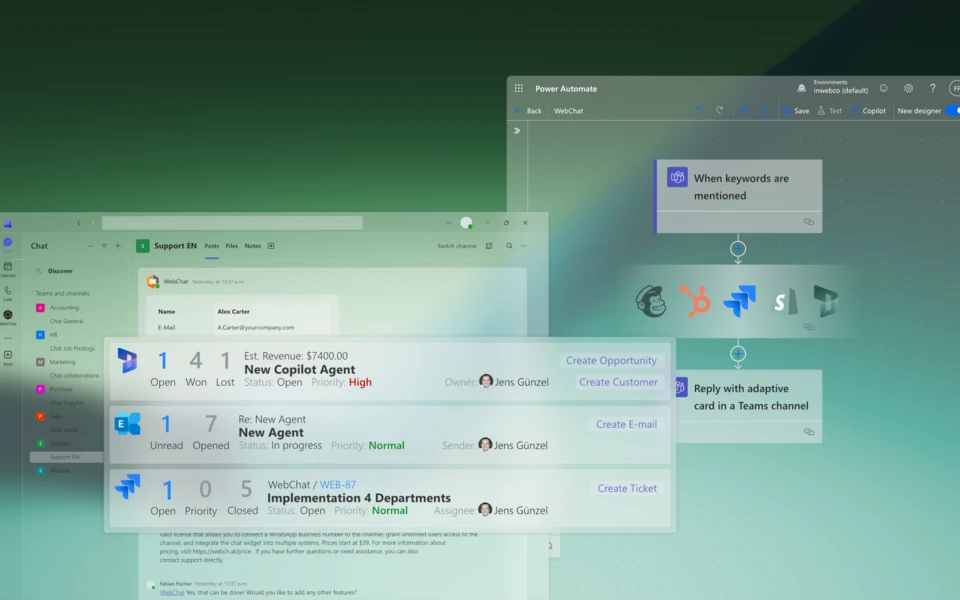
Using Microsoft Power Platform Triggers and Actions, WebChat automatically retrieves data from your systems (CRM, ERP, ticket system, etc.) and integrates it directly into the conversation. This way, your employees or the AI always respond with up-to-date, correct information: fully integrated into the Teams chat.