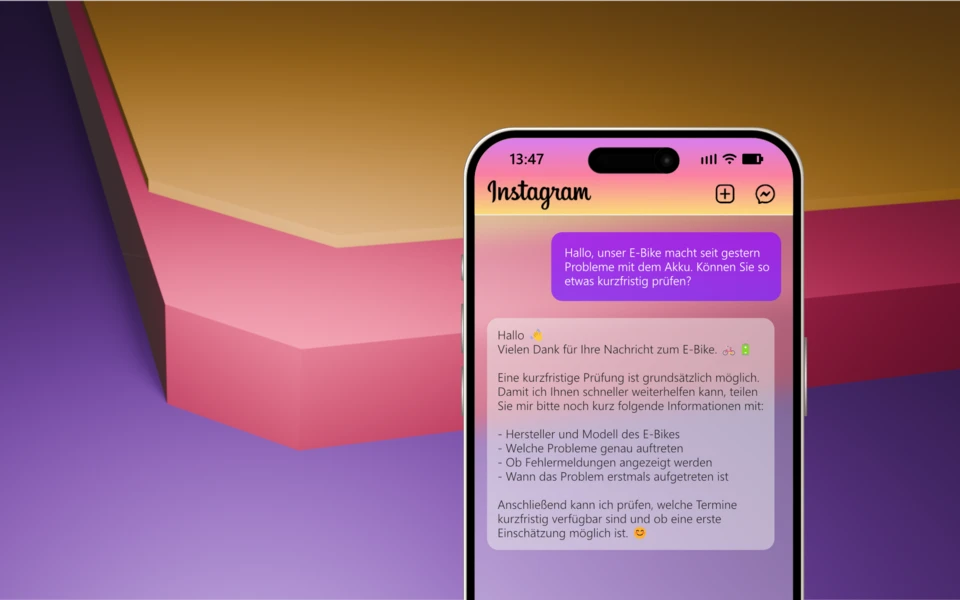
All Instagram messages from your customers flow centrally into Microsoft Teams. Your team sees and processes the requests like normal Teams chats, without a separate Instagram account or additional software. Everything stays in one system, the overview is maintained and nobody has to switch between apps.
Instagram DMs in the Right Microsoft Teams Channel
Visible to the whole team instead of just on a personal cell phone
Instagram DMs visible in the right Microsoft Teams channel
You get direct messages on Instagram every day — with WebChat they arrive straight in Microsoft Teams. Every DM appears in real time in the right channel, visible to the whole team, with history and clear ownership. No private phone, no forgotten social inbox.
Instagram DM
Microsoft Teams
Routing
Real-time
Instagram has long been a sales and service channel
Your customers write where they already are — and they expect fast answers. Direct messages are no longer a side channel but often the first contact before a purchase. Leaving DMs on a private phone means losing enquiries, revenue and valuable response time.
90 %+
of Instagram users follow at least one business
150 Mio.
DM conversations with businesses — every month
44 %
use Instagram weekly to discover and buy products
Minutes
instead of hours — that's how fast users expect a reply to their DM
Source: Meta / Instagram for Business.
Lose DMs in the social inbox — or answer them as a team
Today the Instagram inbox usually sits with a single person — no history for colleagues, no cover during holidays. With WebChat it becomes a real team process in Microsoft Teams where nothing slips through.
Today · only in the social inbox
- ✕Only the social media manager sees the DM — on a private phone.
- ✕Purchase enquiries, support and job applications all land in the same inbox.
- ✕No history for colleagues, no cover during holidays, no clean record.
With WebChat
- ✓Every Instagram DM lands in real time in the right Microsoft Teams channel.
- ✓Intelligent routing separates sales, support and marketing — with cover.
- ✓Full history in your own tenant, data-secure, roles from Entra ID.
From comment to DM — straight into your workflow
Of course the goal is still to create reach and comments with good content. The decisive step: a clear prompt like "DM me" moves prospects out of the comments and into a direct message — and thus straight into a structured process in Microsoft Teams. Optionally, your AI chatbot picks up the request immediately and answers every question using your data; as soon as buying interest shows, your team is notified with a hot-lead alert.
Comment becomes DM
Lands in the workflow
★
Hot-lead alert to the team
When the chatbot detects clear buying interest, it marks the contact as a hot lead and notifies the right team directly in Microsoft Teams — so a human takes over the moment it counts, without an enquiry getting lost in the comments or inbox.
All marketing channels in one Microsoft Teams team
Your marketing does more than Instagram: trade shows, community events, webinars, landing pages, WhatsApp, the website widget. With WebChat each of these channels becomes its own Microsoft Teams channel — messages, enquiries and leads automatically land in the right place, visible to the whole team. The more channels you connect, the more your marketing gets out of WebChat.
Pay per Channel
You pay per channel, not per user.
Unlimited
agents per channel — at no extra cost.
In minutes
New campaign? New channel, ready to go instantly.
Only those who are really needed get mentioned
The chatbot answers most DMs itself — friendly and around the clock, without anyone on the team having to lift a finger. Only when something special happens that truly needs a human — concrete buying interest, a complaint or an explicit request for a call back — does WebChat specifically mention the right person in the channel. So not every message triggers a notification: it stays calm, and yet at the right moment the right person takes over immediately.
Standard question · BrochureChatbot
Purchase enquiry · Lead@Vertrieb
Complaint · Escalation@Support
Job application@HR
Contacts are added to the channel once. The chatbot handles routine questions on its own — only for special or escalated cases does WebChat mention the right person.
Every profile without shared access is lost revenue.
Bring Instagram & all other channels into Microsoft Teams — ready in about 10 minutes, no IT project.
AI chatbot for Instagram — with your data and your knowledge
Extend WebChat with Power Automate and Microsoft Foundry into your own AI chatbot right in your Instagram DMs — with your data and your knowledge. It answers recurring questions automatically (availability, prices, opening hours), detects buying interest and hands over to the right team in Microsoft Teams. A human takes over anytime with one click.
 InstagramDM comes in
 WebChatChannel in Teams
 Power AutomateKnowledge & rules
 Microsoft FoundryAI agent replies
With your data
Via Power Automate, the AI agent taps into your shop, knowledge base and FAQ — answers from your real data, in your brand voice.
Answers automatically
The bot answers recurring questions about availability, prices and shipping around the clock — even outside office hours.
Human in the Loop
For buying interest or tricky cases, the bot hands over seamlessly to the right team in Microsoft Teams — with the full history.
What your marketing team gains
WebChat isn't a new tool to learn — it's Instagram right inside Microsoft Teams. Installed in about ten minutes, no IT project — and from the very first DM your marketing team gets more out of every post, story and ad.
Live in ~10 minutes
No IT project
Billed through Microsoft
No private phone number
Get more out of social
Every DM from posts, stories and ads becomes a real opportunity — no contact gets lost in the comments or inbox anymore.
Answers in minutes
Fast beats perfect: users expect answers in minutes. Whoever replies first wins the conversation — and often the sale.
No more private phones
DMs belong in the team, not on one person's smartphone. Full visibility, clear cover during holidays.
Hot leads straight to sales
Buying interest is detected and handed to sales immediately — your marketing delivers measurable pipeline, not just reach.
All channels in one place
Instagram, WhatsApp, website widget & co. all come together in Microsoft Teams — one inbox for the whole team.
Full control & data security
Data in your own Microsoft tenant, roles from Entra ID, every bot answer monitored — marketing stays in control at all times.
Connect Instagram with Microsoft Teams
Here's how to connect your Instagram profile as an inbound channel to WebChat — usually in under ten minutes, with no IT project.
- 1Add WebChat in Microsoft TeamsSearch for WebChat under "Apps" and select it — no separate download needed.
- 2Add WebChat to the desired channelFor example "Marketing › Instagram DMs" — from now on team membership decides who has access.
- 3Connect the account in the WebChat "Instagram" tabConnect one of your Instagram profiles once via the official Meta login — all profiles are supported, no passwords stored.
- 4Done — every DM arrives straight in Microsoft TeamsFrom now on every Instagram DM automatically lands in the right channel. If you like, send a quick test DM first to check.
!
Requirement
An Instagram account and Microsoft Teams — all Instagram profiles are supported. Pay per Channel covers the WebChat licence; your own AI also needs Power Automate Premium and Azure pay-as-you-go.
Who has access?
You connect one of your Instagram profiles to Microsoft Teams once via WebChat. From then on, team membership decides who on your team has access — you or your IT control that directly in Microsoft Teams. No extra user interface, no additional login. Backend configuration remains reserved for the WebChat administrator.
FAQ & Troubleshooting
Does everyone on the team need an Instagram login?
No. The team works entirely in Microsoft Teams. Only one Instagram profile is connected once as an inbound channel — identities and permissions come from Entra ID.
Which Instagram accounts are supported?
All Instagram profiles are supported — privately used profiles are switched to Business or Creator once, free of charge, for DM access. Alongside Instagram, the website widget, WhatsApp Business and TikTok DM are live; LinkedIn and Facebook Messenger are planned.
What does WebChat cost?
Pay per Channel: you pay per Microsoft Teams channel, not per user — unlimited agents per channel. Billed through Microsoft. Current terms at webch.at/pricing.
The Instagram DM doesn't appear in the channel — why?
Usually the Instagram account isn't yet linked to the channel ID, or the app wasn't installed in the target channel. Check in the "LiveTest" tab and re-assign the channel ID.
your chat, your team, your decision
Bring your Instagram DMs off a private phone and into the whole team. Installed from the Microsoft Marketplace in a few minutes, no IT project — and from day one your team answers every message in the right Microsoft Teams channel, with history and cover.
7-day POC with 25 channels free — no SaaS contract, billed through Microsoft.