AI
Home / AI
AI in Microsoft Teams
Start simply. Limitlessly expand.
The AI replies where the team already works: in the Teams channel. The basics are in place in under 10 minutes, and the AI can be switched on at any time. With higher requirements, the solution grows up to your own agent with its own tools and systems.
Copilot Studio
Supports you within the company with information from conversations, for example from the website, WhatsApp and Instagram.
View CopilotStage 2Microsoft Foundry
Your own AI model, your own tools for the agent, several systems and data sources in one solution.
View FoundryStage 3Power Automate
A keyword starts the flow. Over 1,000 connectors bring data from CRM, ERP and ticketing into the chat.
View Power AutomateStage 4Enterprise
Many systems, special integrations or several locations: Power Platform specialists support planning and implementation.
Arrange a callControl
How much the AI handles on its own is freely selectable
The chatbot can be deactivated per conversation, and automatic reminders prompt the team.
 Support · PostsSupport · PostsSupport · Posts
Start simply
The basics are in place in under 10 minutes
<10minutes
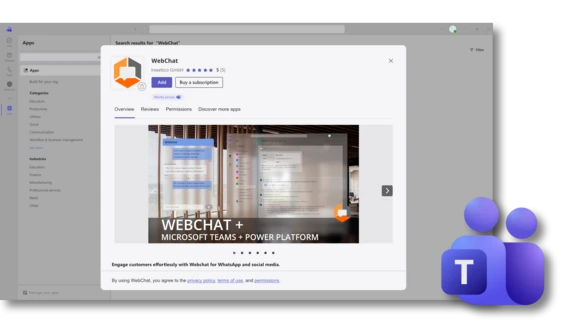
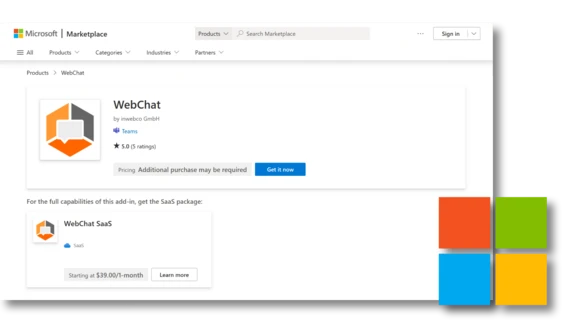
Install via the Microsoft Marketplace, like any other Teams app.
The agent replies directly in the Teams channel.
Try it in the playground first, then go live.
Your own AI is an advanced setup and can be activated retrospectively at any time.
Expand for advanced needs
A toolkit, freely combinable
Freely selectableModel
No vendor lock-in. The Foundry model catalogue is growing continuously and keeps the path open for new models.
Your own contentData
The agent replies with content that is maintained anyway.
IntegrationTools and systems
A keyword starts the flow, the reply with live data appears as an Adaptive Card in the Teams thread.
Stays within the companyControl
WebChat does not operate its own AI. The agent belongs to the company and runs in its own Microsoft environment.
What the AI handles
A message becomes an action
Good to know
Questions about AI
- Does WebChat operate the AI?
- No. The agent belongs to the company and runs in its own tenant.
- What does AI operation cost on top?
- In addition to the WebChat licence, Power Automate Premium and Azure pay-as-you-go are required. For details on the licences, see Pricing.
- Do we need Foundry?
- Not always. A lot can already be done with Copilot Studio and the Power Platform. For your own model or your own tools, Foundry is the right choice.
- Can a human take over?
- Yes, at any time. The chatbot can be deactivated per conversation, and automatic reminders prompt the team.
- When is Enterprise the right path?
- With many systems, special integrations or several locations. Power Platform specialists then support planning and implementation. Arrange a call.
Start simply.
Install WebChat via the Microsoft Marketplace and test it with one channel.
1 test channel, 30 days free. No SaaS contract. AI can be activated retrospectively at any time.Plan for advanced needs.
Plan your own agents, your system landscape and the route to Enterprise together.

Integrate an AI of your choice and use Microsoft 365 Copilot or Microsoft Foundry.


In the Power Platform tab, enter a corresponding keyword that should trigger a workflow for this channel.

Create a flow in Power Automate that reacts to a keyword intention.

Connect the flow with an Azure Logic app for automation.

Decide how the agent should work.

Try without subscription
Add WebChat to channel - activate
Test 7 days with up to 25 channels (POC license)

Let the AI of your choice lead the conversation using the background information from your sources, thereby lightening the load on your teams.

Do you need help setting up workflows in your infrastructure? We have a network of partners that can provide exactly these services for you.


Widget

Microsoft Teams
