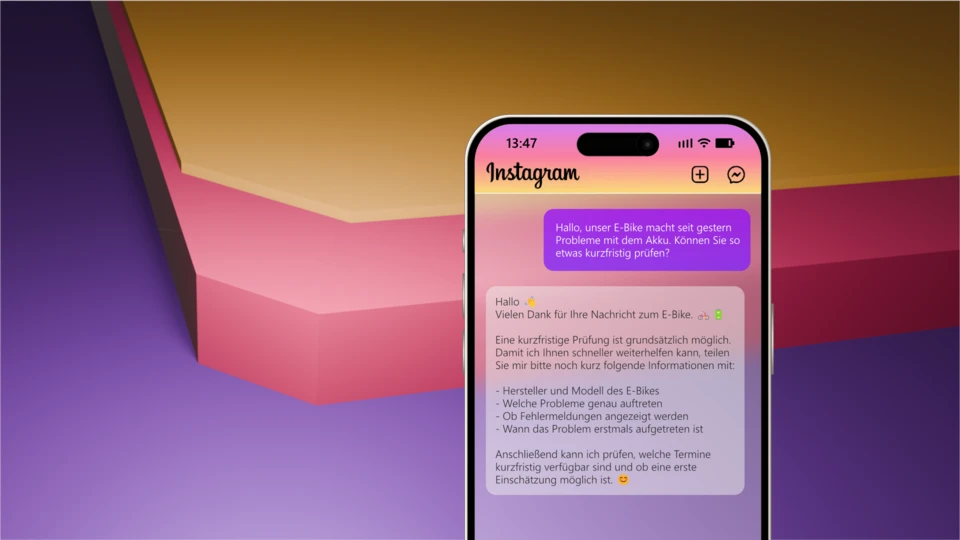
All Instagram messages from your customers flow centrally into Microsoft Teams. Your team sees and processes the requests like normal Teams chats, without a separate Instagram account or additional software. Everything stays in one system, the overview is maintained and nobody has to switch between apps.
Instagram DMs answered directly in Microsoft Teams
Every Instagram DM lands in real time in the right Microsoft Teams channel

Instagram direct messages land straight in your Microsoft Teams channel
Every Instagram DM from a profile, story or campaign shows up in real time in the right Microsoft Teams channel. Your team replies straight from Microsoft Teams — the answer goes back to Instagram automatically. No second inbox, no switching apps.
💬 Instagram in Microsoft Teams
⚡ Real-time
🎯 Smart routing
🔒 Data in your own tenant
Why Instagram DMs get lost inside a team
Customers message you on Instagram after a story, a reel or a campaign — but those DMs sit on a single phone or account. By the time someone replies, the lead has often moved on.
📱
Stuck on one account
Instagram DMs live on one device or login — the rest of the team never sees them.
🔀
Constant app switching
Instagram here, Microsoft Teams there — every switch costs time and context.
🙈
No clear ownership
A marketing lead from Instagram rarely reaches sales automatically. Replies pile up unanswered.
How an Instagram DM flows through WebChat
One message, one channel, one clear owner — the reply from Microsoft Teams goes straight back to Instagram.
 Instagram DM · Customer
CustomerHi! Does the channel discount from your Instagram story also apply to existing customers? I'd like to upgrade today.
Your teamYes, the discount applies to existing customers too! I'll send you the upgrade link right away — does that work for you?
 Microsoft Teams · "Marketing" channel
WebChat routingNew Instagram message: "Does the channel discount from your Instagram story also apply to existing customers? I'd like to upgrade today."
Marketing · Nina@WebChat Yes, the discount applies to existing customers too! I'll send you the upgrade link right away — does that work for you?
The reply from Microsoft Teams (@WebChat …) reaches the customer as a normal Instagram message — without your team ever opening Instagram. Routing decides by channel, keyword or campaign which team gets the message. Curious how that looks for you? Try it directly in Microsoft Teams.
With and without WebChat
❌ Without WebChat
- Instagram DMs live on one private phone or account
- Only one person sees the messages
- Campaign leads sit unanswered
- Customer data sits in a third-party app
✅ With WebChat
- Instagram DMs land directly in Microsoft Teams
- The whole team can reply together
- Instant routing to the right channel, e.g. marketing or sales
- Data stays in your own Microsoft tenant
Ready to go in minutes
You install WebChat like any other Microsoft Marketplace app — no server, no project, no developers.
1
Install from the Marketplace
Add WebChat from the Microsoft Marketplace to a Microsoft Teams channel.
2
Connect your Instagram account
Link your Instagram business account — the access token refreshes itself automatically.
3
Reply from Microsoft Teams
Reply with @WebChat — done. The message goes straight back to Instagram.
What your team gets
⚡
Instagram in real time
Every DM appears instantly in the right Microsoft Teams channel — no delay.
🎯
Smart routing
Messages reach the right team automatically — by channel, campaign or keyword.
👥
Unlimited users per channel
The whole team can pitch in — Pay per Channel, not per user.
🔐
Sign in with Microsoft Entra
No new account — SSO through your existing Microsoft 365 identity.
🔄
Automatic token refresh
Your Instagram access token stays valid as long as the account is connected — no manual upkeep.
🏢
Data in your own tenant
Customer communication stays inside your Microsoft environment — a GDPR-friendly architecture, data stays in your own Microsoft tenant.
1
Inbox: Microsoft Teams
∞
Users per channel
< 10 min
Setup from the Marketplace
Not just Instagram — every channel in Microsoft Teams
WhatsApp, the website widget and TikTok come together in Microsoft Teams the same way.



Frequently asked questions
Do we need an Instagram business account for WebChat?
Yes. WebChat connects your Instagram business account to Microsoft Teams. Message transport technically runs through Meta, while everything is stored in your own Microsoft tenant.
Do we need to learn a new tool?
No. Your team keeps working in Microsoft Teams. WebChat brings Instagram there — no extra inbox, no switching tools.
How fast can we get started?
Setup takes minutes from the Microsoft Marketplace: install, connect your Instagram account, set up routing, go live.
What does WebChat cost?
The model is Pay per Channel: you pay per connected channel, with unlimited users, cancel monthly, and book directly through the Microsoft Marketplace. No per-user cost.
Can several colleagues manage the same Instagram account?
Yes. One channel, unlimited users: the whole team sees and answers Instagram messages together in Microsoft Teams — with no duplicate replies.
Can Instagram run alongside other channels?
Yes. WhatsApp, the website widget and TikTok come together in Microsoft Teams the same way — each channel can be routed to its own channel and team.
Instagram in Microsoft Teams — start today
Connect your Instagram business account to Microsoft Teams and answer every direct message right where your team already works.
Try in Microsoft Teams Watch the demo
your chat, your team, your decision
By inwebco GmbH · available on Microsoft Marketplace.